Create a Project
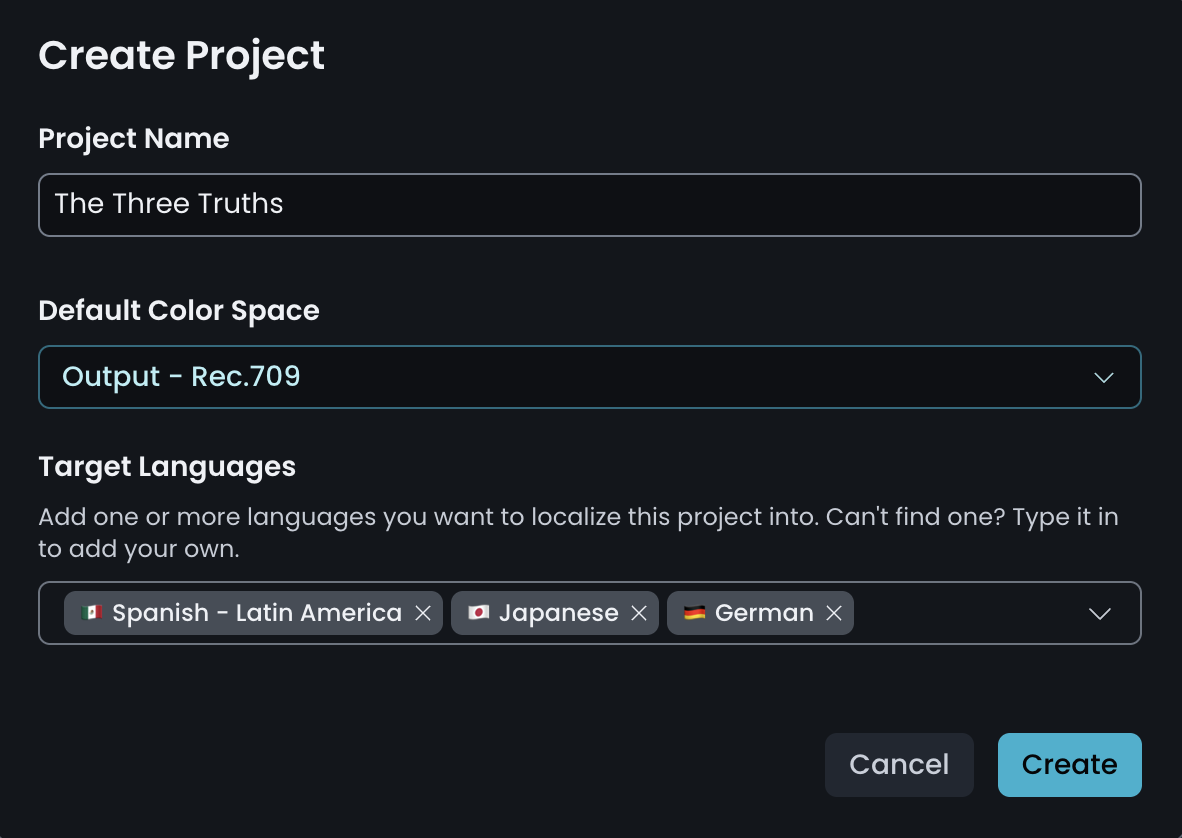
Set the project name, default color space and target languages.
Everything in TrueSync lives inside a project. Creating one requires three decisions, all made before you upload any media.
Project Name: how the project is identified across the tool. Use whatever your production already uses: a show code, a title, an episode number.
Default Color Space: the color space TrueSync applies to media in this project. Set it to match the media you're going to vub.
Target Language: the languages you're visually dubbing into. A project can carry as many as you need.
NOTE - Default Color Space
In most cases this is straightforward, because you'll be working from a picture-locked master whose color space is already known. A Rec.709 master means a Rec.709 project. An ACES2065-1 EXR master means an ACES2065-1 project. TrueSync supports a wide range of color spaces see the Knowledge Base for the full list.
Setting the correct color space here matters, because it determines how your vubs are rendered and how they match back to your original media. If you're not sure, check the color space and export settings of the project your master came from, or ask whoever delivered it.
Once the project is created you're prompted to upload your media.