Shot Creation
Divide your source media into shots with cut detection or an EDL.
Once your source media has finished uploading it needs to be divided into shots. TrueSync works shot by shot, mirroring editorial, VFX and finishing workflows. Shots are created once per source video and shared by every language in the project.
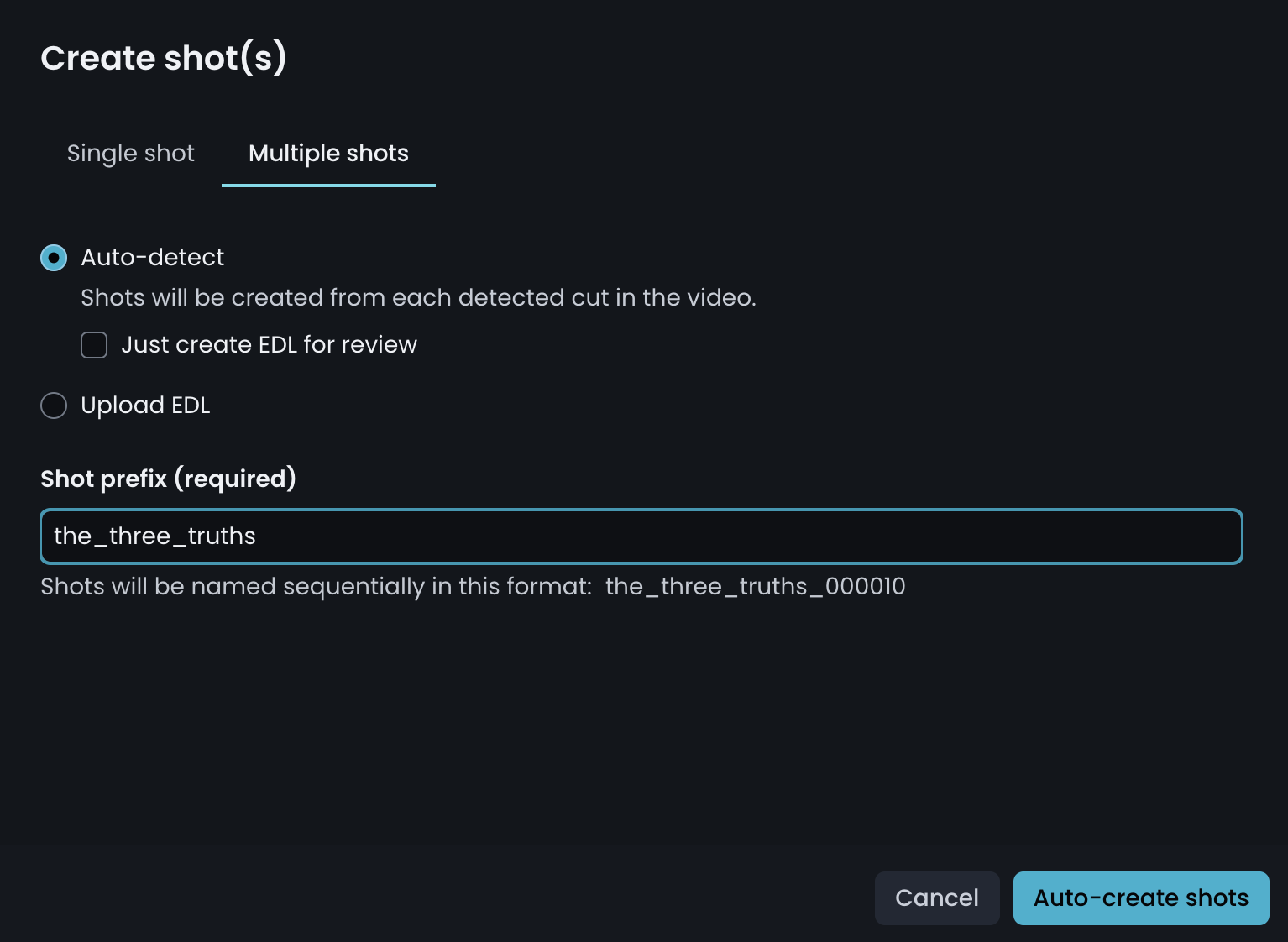
Selecting Create Shots opens a window with two options:
- Single shot — the DeepEditor workflow. Not recommended for TrueSync localization projects.
- Multiple shots — the recommended route for localization. Multiple shots gives you two routes to the same result:
- Auto-detect
TrueSync's built-in cut detection divides your picture master into shots for you. Nothing to prepare and no new assets to create, this is the recommended route. - Upload an EDL
You supply the cut points yourself, either from an existing EDL or one you create in your NLE against the same source media.
- Auto-detect
Naming shots
Both routes need a shot name prefix. Because shots carry across every language, keep the prefix language-neutral, a show code or production name works well.
Avoid putting a language code in the prefix. A prefix of SHOW_JPN would also appear on your German and Latin American Spanish shots.
TrueSync appends a six-digit shot number, running in multiples of ten from 000010. You can preview the naming convention before you create the shots.